

Issue description
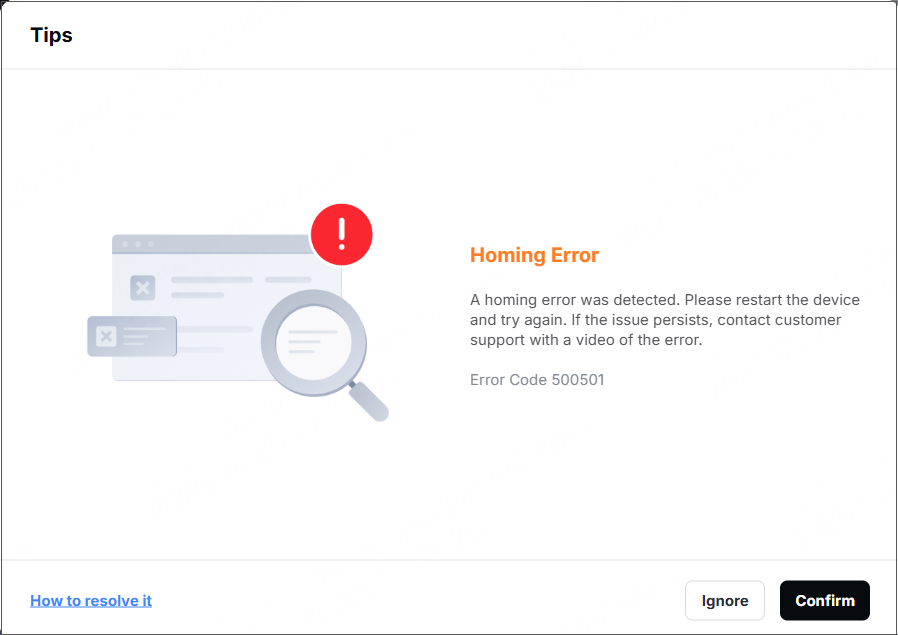
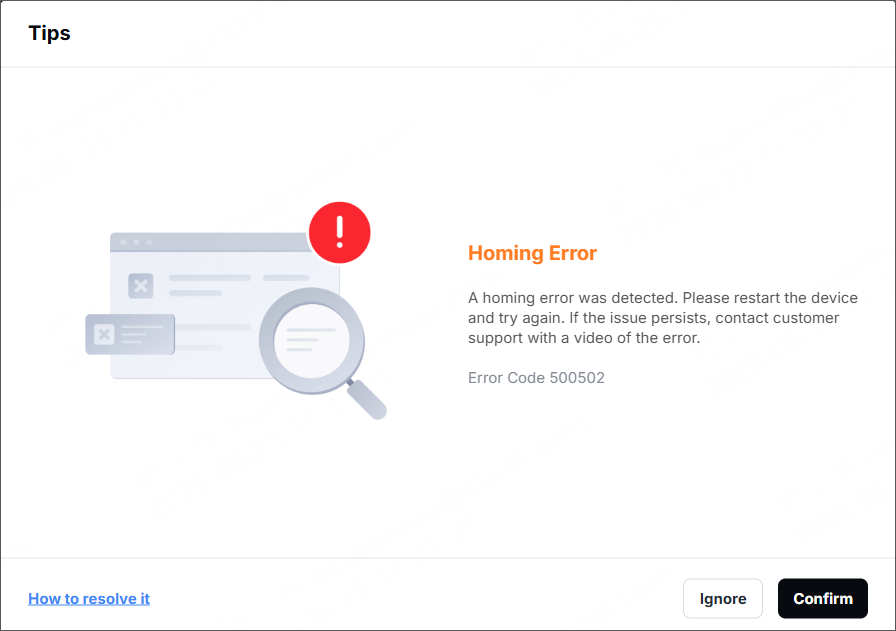
When you perform laser processing on xTool M2, a pop-up window appears on the software displaying the error message "Homing Error" (Error Code 500501 or Error Code 500502).
The error code may be accompanied by one or more of the following symptoms:
- The motor isn't running, and the laser module gets stuck.
- The laser module keeps hitting the device's frame.
Possible causes
- The motor is faulty.
- The limit sensor is faulty.
Troubleshooting procedures
The xTool M2 laser module's movement relies on motor drives along the X and Y axes, as well as corresponding limit sensors to detect whether the laser module reaches the boundary. When the system detects an abnormal movement,
- If the fault is in the X-axis direction, Error Code 500501 will be triggered.
- If the fault is in the Y-axis direction, Error Code 500502 will be triggered.
1. Restart the device
(1) Turn the device on and wait for it to finish self-check and initialization (It usually takes about 30 seconds. Please follow the device’s indicator or buzzer).
(2) Restart the xTool Studio software. Reconnect the software to the device. The device will automatically perform a "return to the origin" operation. Check whether the laser module resets properly and whether the limit switch error disappears.
(3) If the problem disappears after restarting, you can continue using the system as normal. If the problem persists, please proceed to the next steps.
2. Check the software and firmware versions
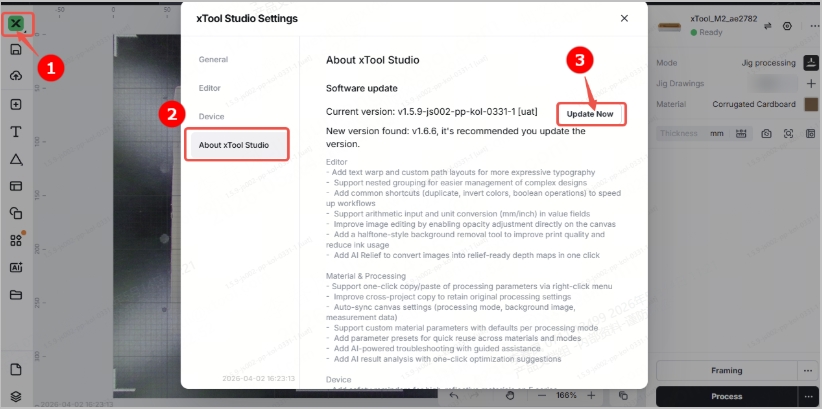
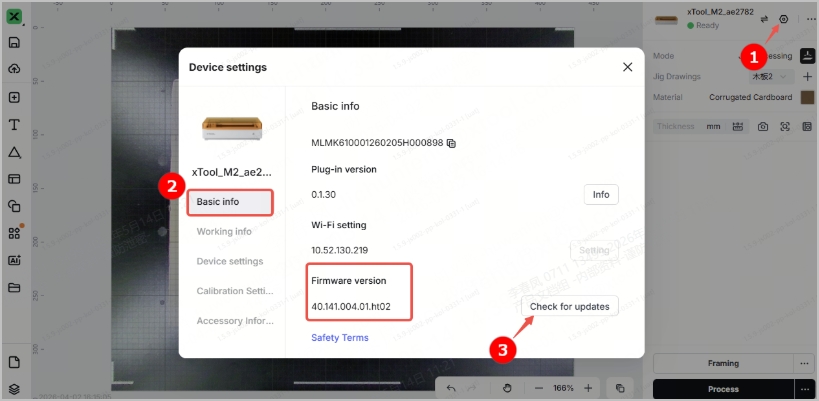
Check that both your xTool Studio software version and device's firmware version are the latest. If not, follow the instructions below to update them.
- Software version:
- Firmware version:
3. Take the appropriate action based on the error code
Regarding error code 500501 (X-axis error)
- If there is absolutely no movement along the X-axis: This indicates a failure of the X-axis motor. Please refer to the replacement video to replace the X-axis motor yourself.
- If the device can move along the X-axis but continuously collides with the frame: this indicates a malfunction of the X-axis Hall sensor. This issue requires further analysis. Please contact the xTool after-sales service team.
Regarding error code 500502 (Y-axis error)
- If there is absolutely no movement along the Y-axis: This indicates a Y-axis motor failure. Please refer to the replacement video to replace the Y-axis motor yourself.
- If the Y-axis can move but cannot stop and keeps hitting the frame: this indicates a malfunction of the Y-axis limit sensor. Since the limit sensor is mounted on the Y-axis motor, a collision in the Y-axis direction requires replacing the entire Y-axis motor. Please refer to the replacement video to replace it yourself.
Please describe the actual condition of the device and contact the xTool after-sales team. We will send you the replacement parts.
Still experiencing issues?
Should the issue persist after completing the preceding steps, submit a ticket via the "Submit a Ticket" button in the "Help Ticket" section below. The standard response time for xTool Customer Service is one business day.
For a prompt resolution, please include the following details:
- The SN number of xTool M2 (you can find on the back of the device)
- Video evidence: Attach a video demonstrating the issue, where applicable.
- Device information: Follow the steps to export the work log.
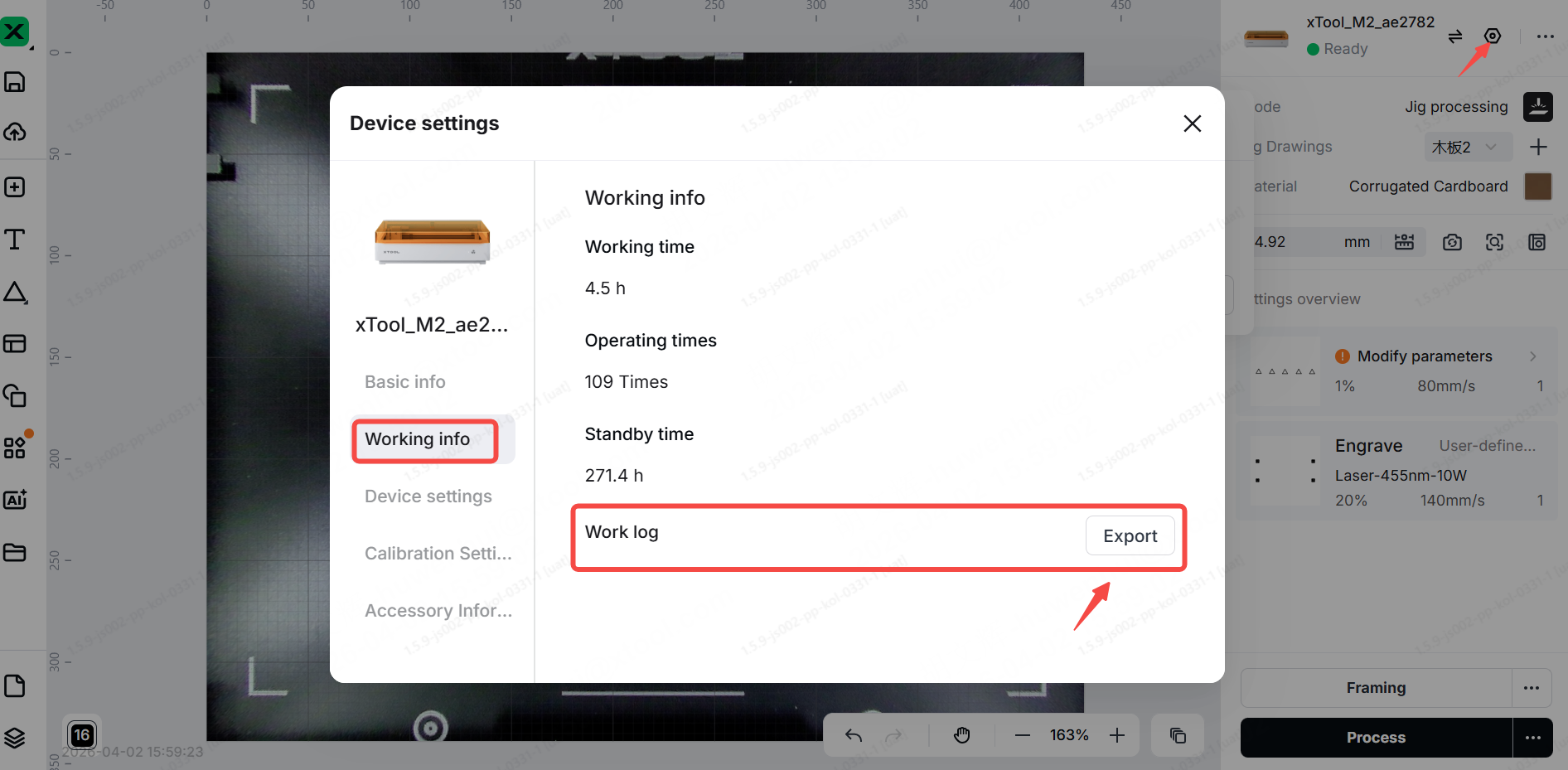
This information is crucial for Mechblock technical support engineers to provide timely assistance.







