

Issue description
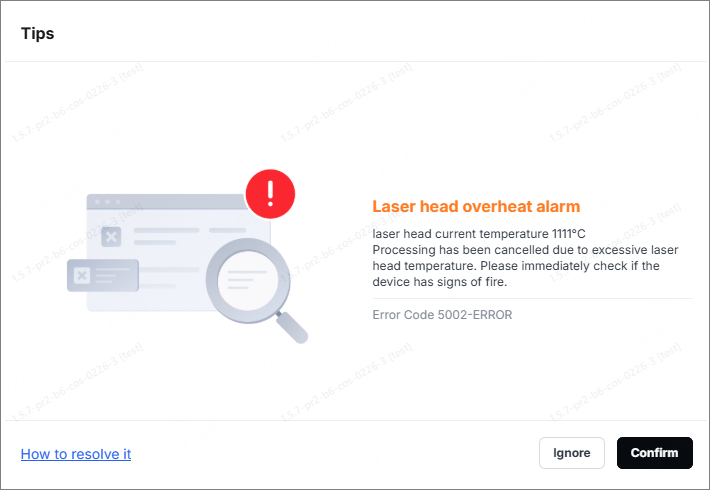
When you perform laser processing on xTool M2, a pop-up window appears on the software displaying the error message "Laser Head Overheat Alarm" (Error Code 5002-ERROR).
The error code may occur on the occasions below:
- During prolonged continuous processing.
- An alarm sounded shortly after processing began.
Possible causes
Normal alarm: The laser head has been in use for too long and has overheated.
Error alarm: The laser head fan malfunctions
Troubleshooting procedures
1. Determine the types of alarm
- If the alarm occurs after prolonged continuous operation (such as high-power operations lasting more than 30 minutes), and the alarm disappears after shutting down the device to allow it to cool for a period of time (such as 15-30 minutes) and then restarting it, this is a normal alarm. Please proceed to Step 2.
- If the device turns on, the processing time is very short (a few minutes), or an alarm still triggers immediately after restarting following a shutdown and cooling period, it is considered an error alarm. Please proceed to Step 3.
2. Handle the normal alarm
- Turn off the device and allow the laser module to cool down naturally: It is recommended to wait at least 15–30 minutes after turning off the device to allow the laser module temperature to return to normal.
The cooling time may be extended as appropriate, depending on the ambient temperature and the intensity of the processing.
- The optical and electronic components inside the laser module are sensitive to high temperatures. Prolonged operation at high temperatures can accelerate material degradation, reduce laser output efficiency, and even cause permanent damage. Allowing the laser module to cool completely after each alarm can effectively extend its overall service life and ensure processing accuracy and stability.
3. Handle the error alarm
If the alarm continues to occur frequently shortly after the device turns on or after it has cooled down, the laser module fan may be malfunctioning. Please perform the following checks:
Check whether the laser module fan is spinning and whether you can hear it running while the laser module is in operation.
- If the fan is not spinning or if it emits noticeable grinding, clacking, or humming noises while running, this indicates a fan malfunction. Refer to the video on replacing the laser module fan, and check whether the laser module fan’s connection cable is loose or broken.
- If you confirm that the fan is faulty, please contact the xTool after-sales team, and we will send you a replacement fan.







