

Issue description
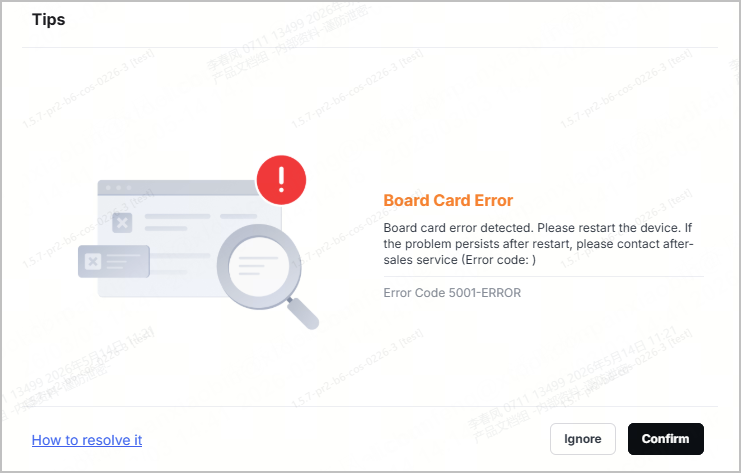
When xTool M2 is running, xTool software displays a Board Card Error message (error code 5001-ERROR), causing the device to malfunction or interrupting communication with the software.
Possible causes
- The software or firmware version is outdated.
- Internal connection cables are loose.
- The printed circuit boards (PCBs) or the connection cables are damaged, causing communication failure.
Troubleshooting procedures
1. Check the software and firmware versions
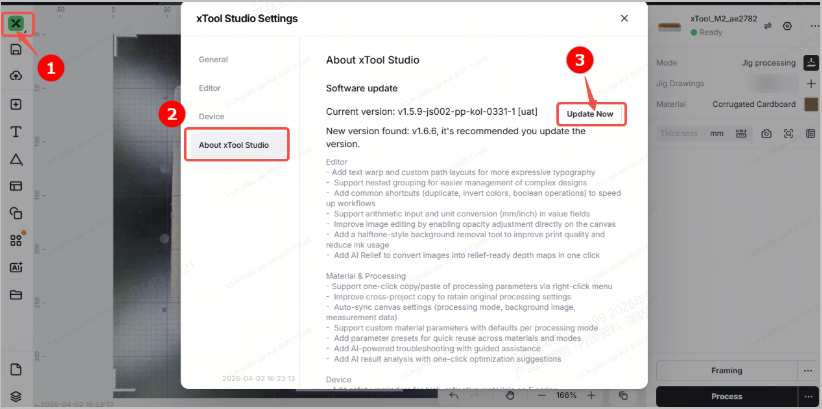
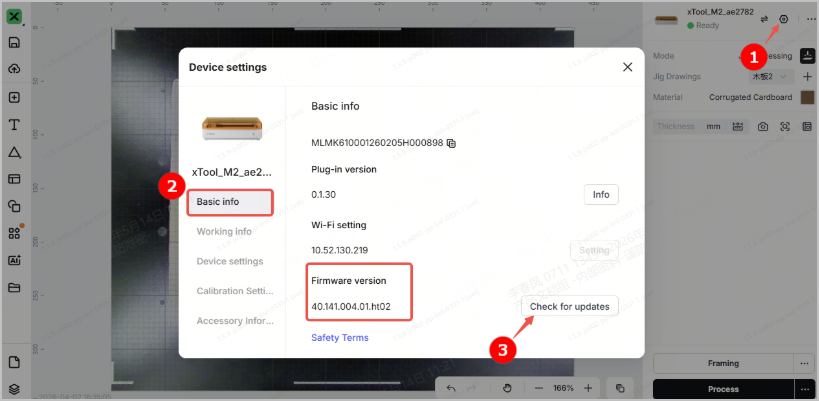
Check whether the software and firmware versions are up to date. If not, update them to the latest versions.
- Software version
- Firmware version
2. Restart xTool M2 and the software
(1) Power off xTool M2. After 10 seconds, power it on again and wait for it to complete the self-test and initialization.
(2) Restart xTool software, and reconnect xTool M2 to the software. If the issue persists, proceed to step 3.
3. Check the main control board connection cables
🔔 Before performing the following checks, power off xTool M2 and unplug the power cable to prevent electric shock or damage to the device circuitry.
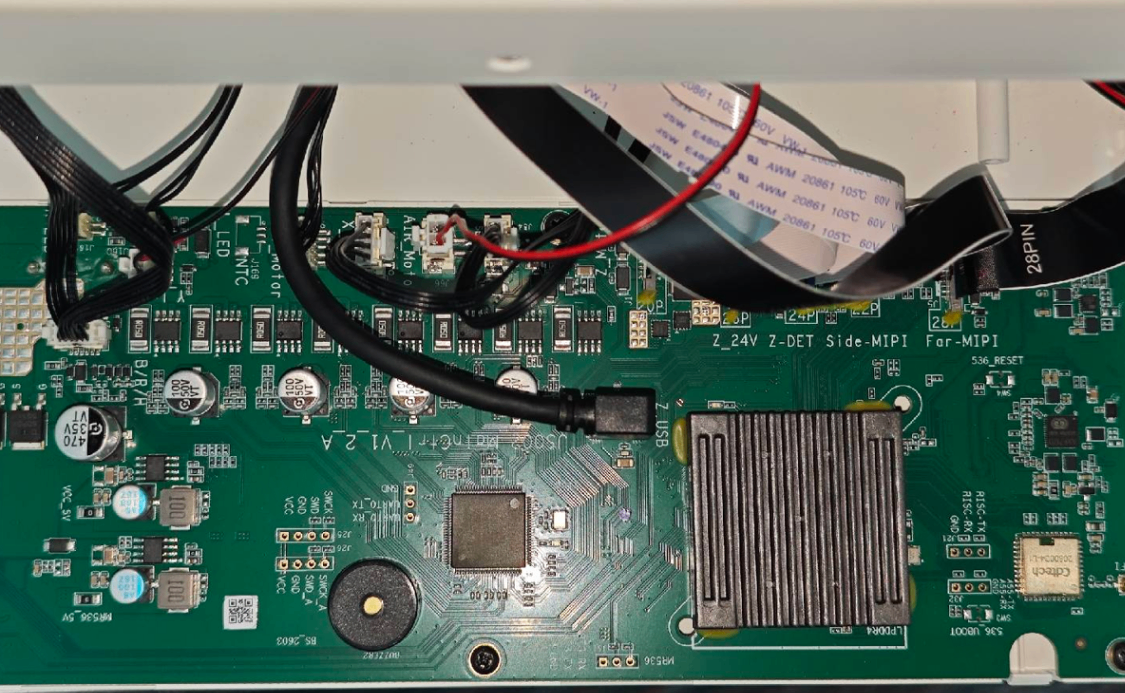
(1) Refer to Replace the Motherboard of xTool M2 - xTool Support Center to remove the back cover of xTool M2 and locate the main control board.
(2) Check the connection cables between the main control board and other PCBs one by one. If any cable is loose, reinsert it firmly and ensure the latches are securely fastened. If any cable is misaligned, corroded, or damaged, contact xTool Customer Service.
(3) Reinstall the back cover, reconnect the power cable, and restart the device. Then, reconnect the device to the software.







