Issue description
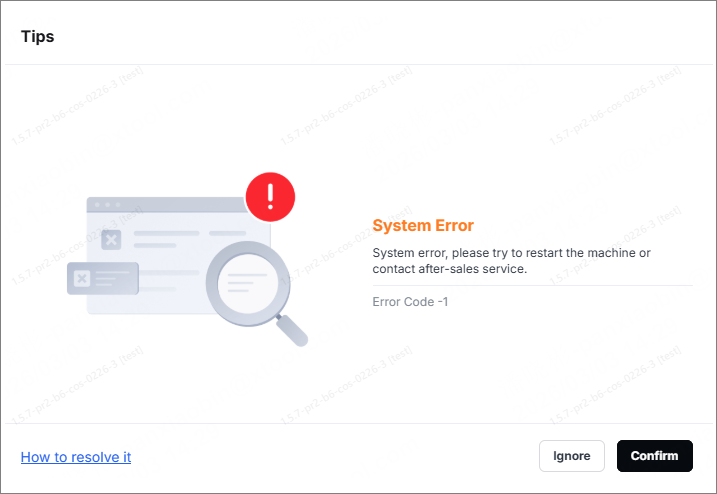
When the software interacts with xTool M2 (e.g., starting a processing task, taking photos with the camera, or switching materials), a pop-up window appears on the software displaying the error message "System Error" with Error Code -1. It causes the device failing to respond to subsequent tasks.
Possible causes
The software failed to read the unique camera calibration file based on the SN code from the device's main control board. The main reasons are:
- Read latency: The device responds slowly, resulting in a timeout while reading the calibration file.
- Operation speed too fast: When the software is just connected, and has not yet fully read the calibration file (within a few hundred milliseconds), you perform processing or other operations immediately.
- Calibration files are missing or damaged.
Troubleshooting procedures
1. Reduce the device's operating speed
- After launching the software or reconnecting the device, please wait at least 3–5 seconds to ensure the software interface has fully loaded before using the software or operating the device.
- Avoid continuous and rapid clicks when clicking "Process", "Close Shot", "Refresh Background", or any other function buttons. After each click, observe the software's response and wait for the previous operation to complete before proceeding to the next one.
2. Restart the device and software
(1) If the problem persists after reducing the operating speed, please try restarting the device completely.
- Turn off the device and wait for 10 seconds.
- Turn the device on and wait for it to complete its self-inspection and initialization.
- Exit the software, then reopen it and wait for the software to connect to the device stably.
(2) After restarting, try performing the operation that previously caused an error again, and pay attention to proceeding slowly.
3. Export the work log and feedback to the xTool team
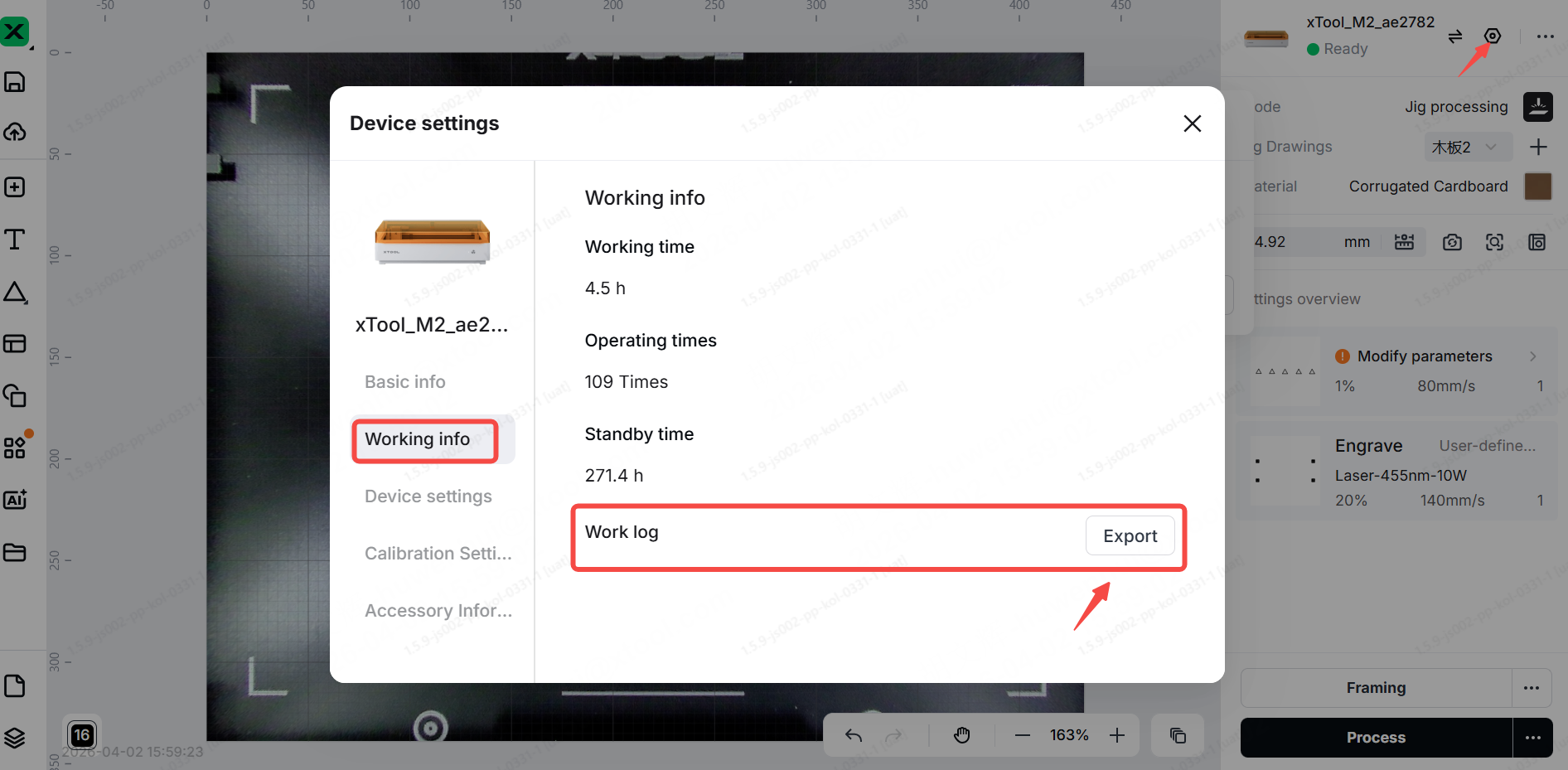
(1) If the "System Error" message still appears frequently after completing the two steps above, it may be that the calibration file of the device is missing, or there are other underlying communication issues. In this case, detailed diagnostic information must be collected for further analysis.
(2) Follow the steps below to export the debug logs. Send the log to the xTool after-sales team along with the description of the operation issues.