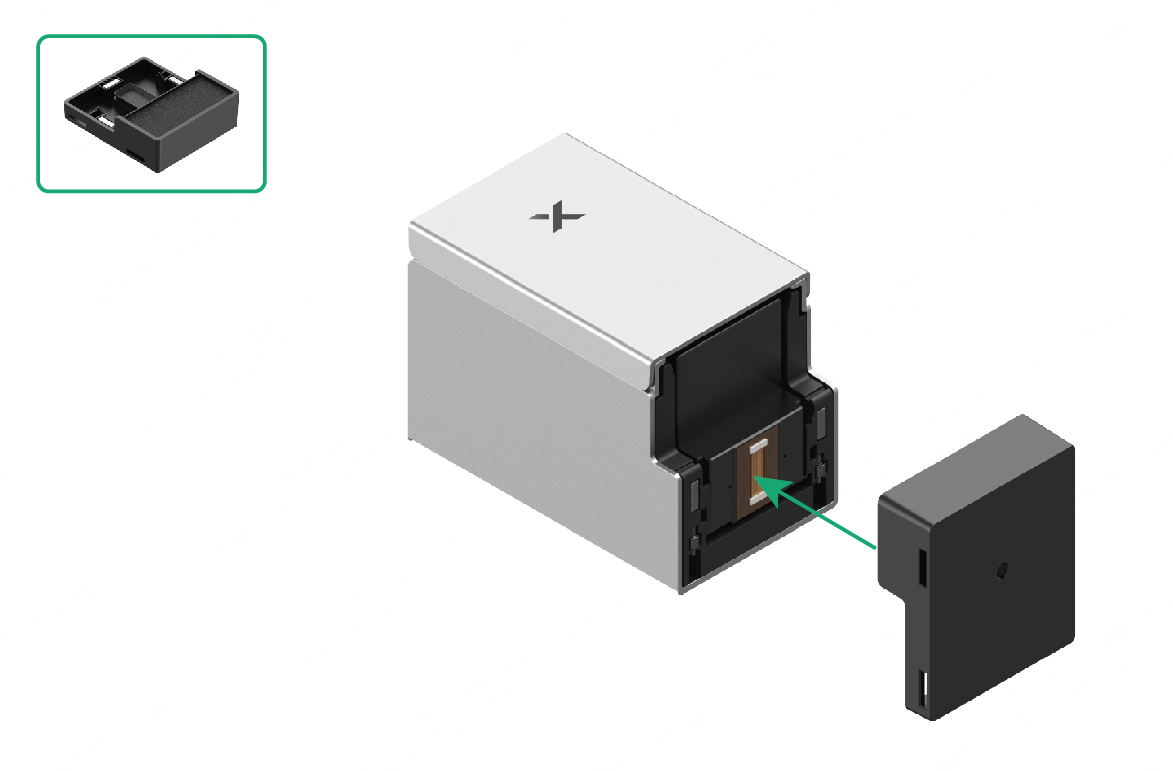
1 Prepare the ink cartridge
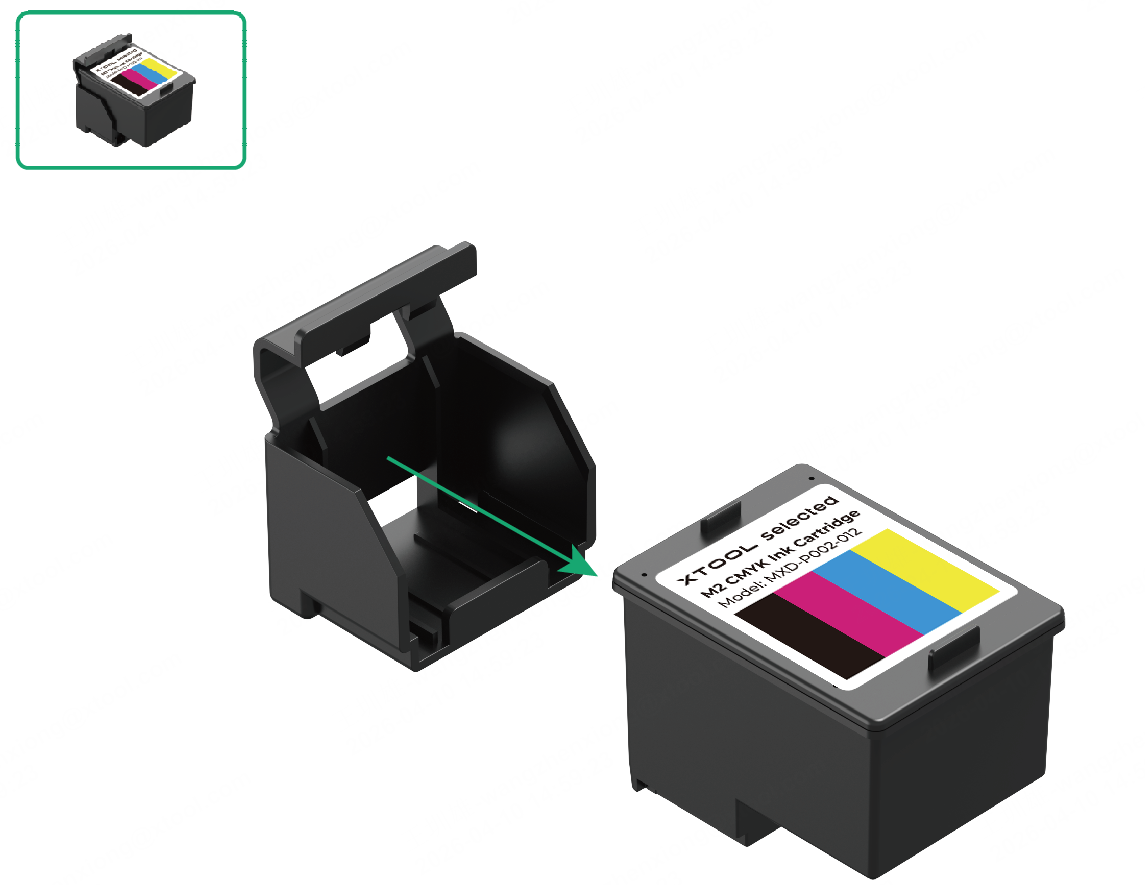
(1) Take out the ink cartridge.
(2) Peel off the protective film.
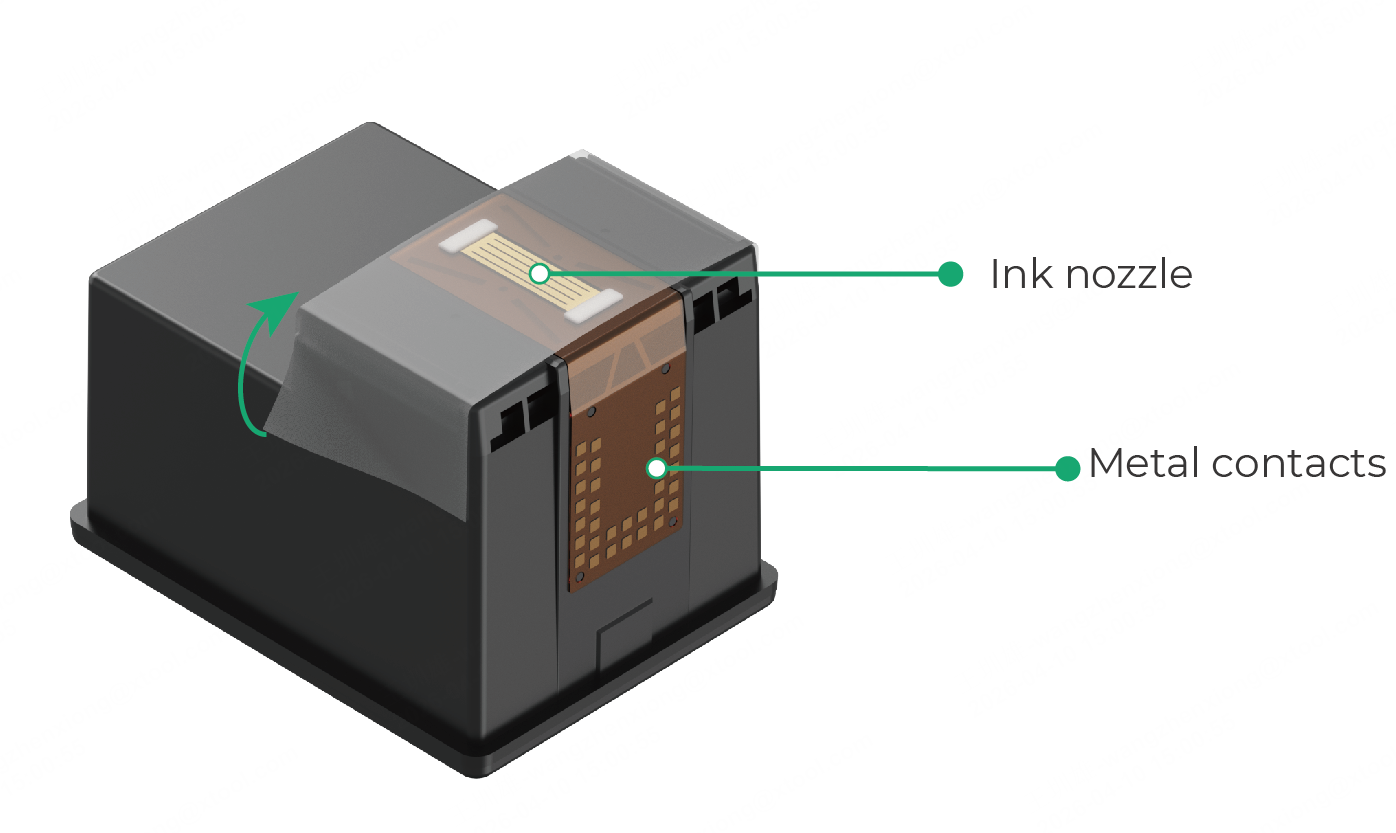
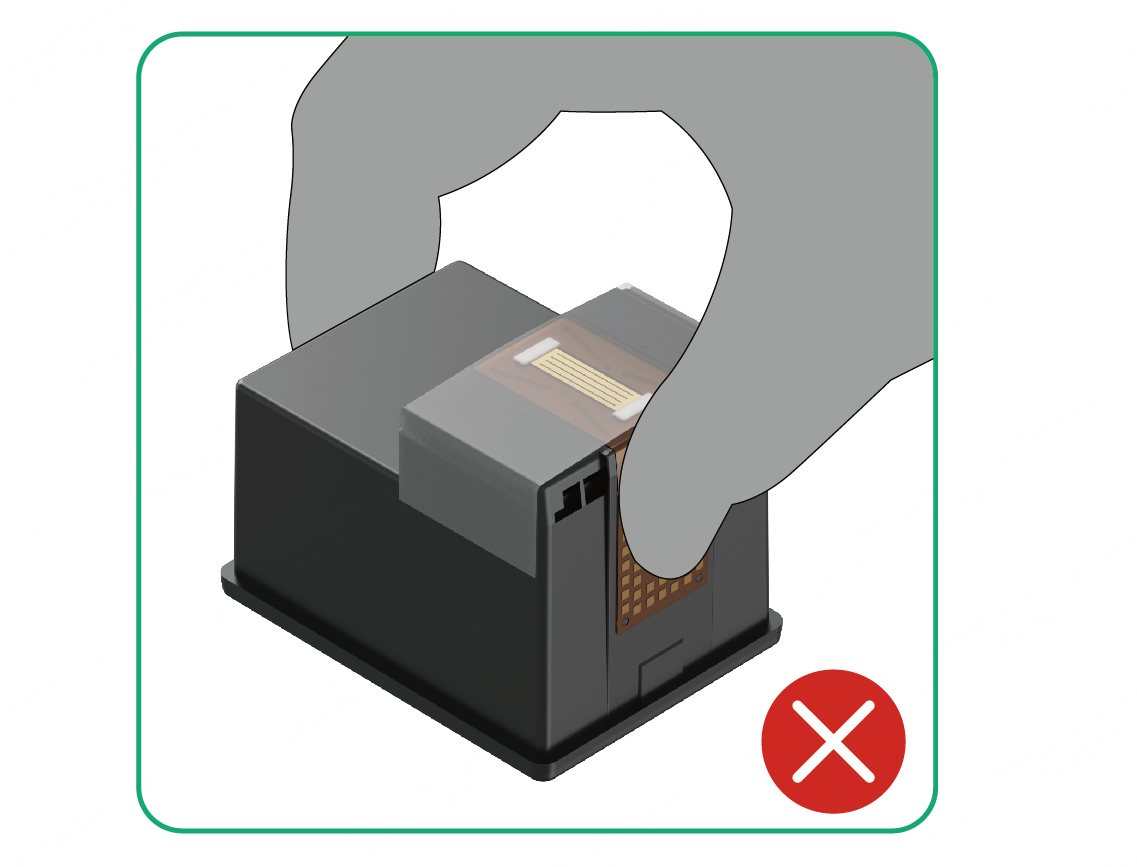
⚠️ Warning
DO NOT touch the metal contacts on the bottom of the ink cartridge.
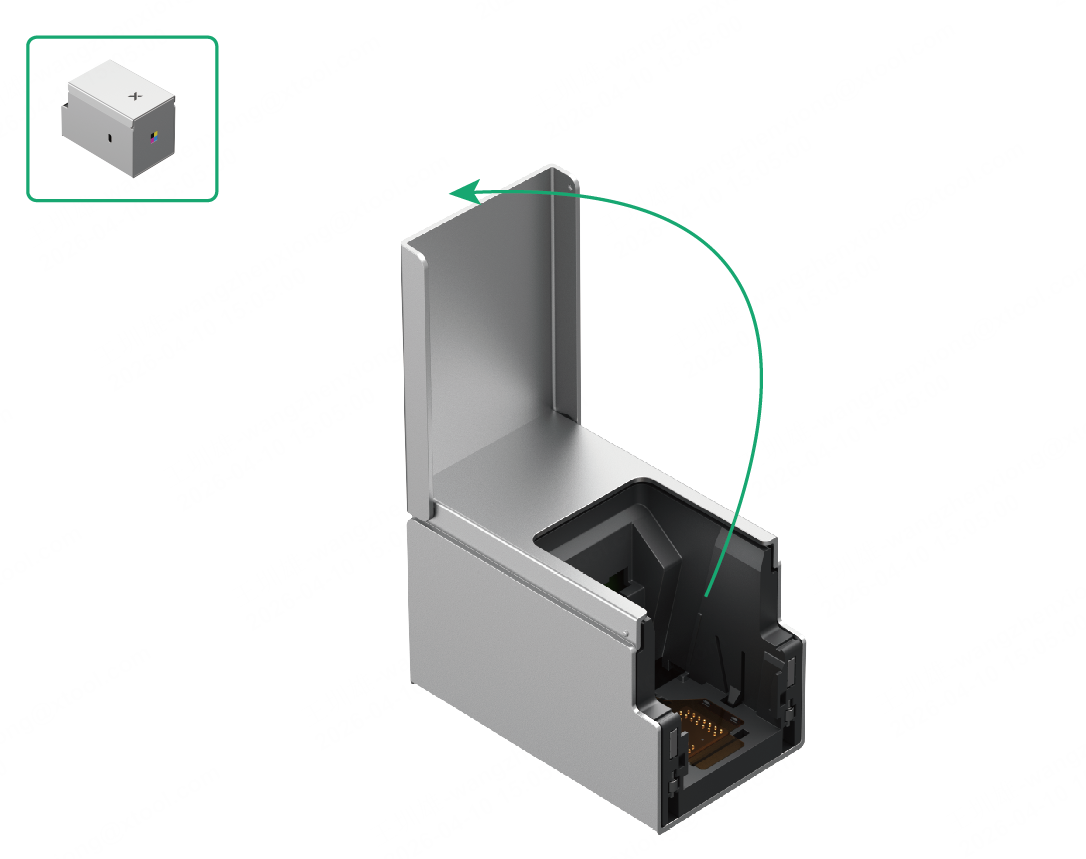
2 Open the front cover
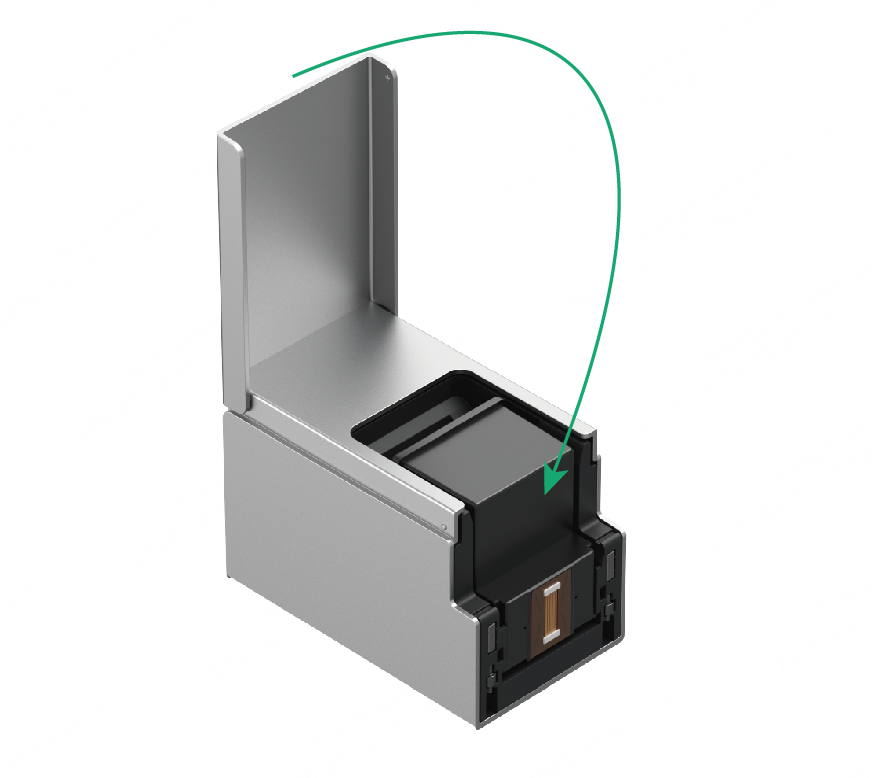
3 Install the ink cartridge
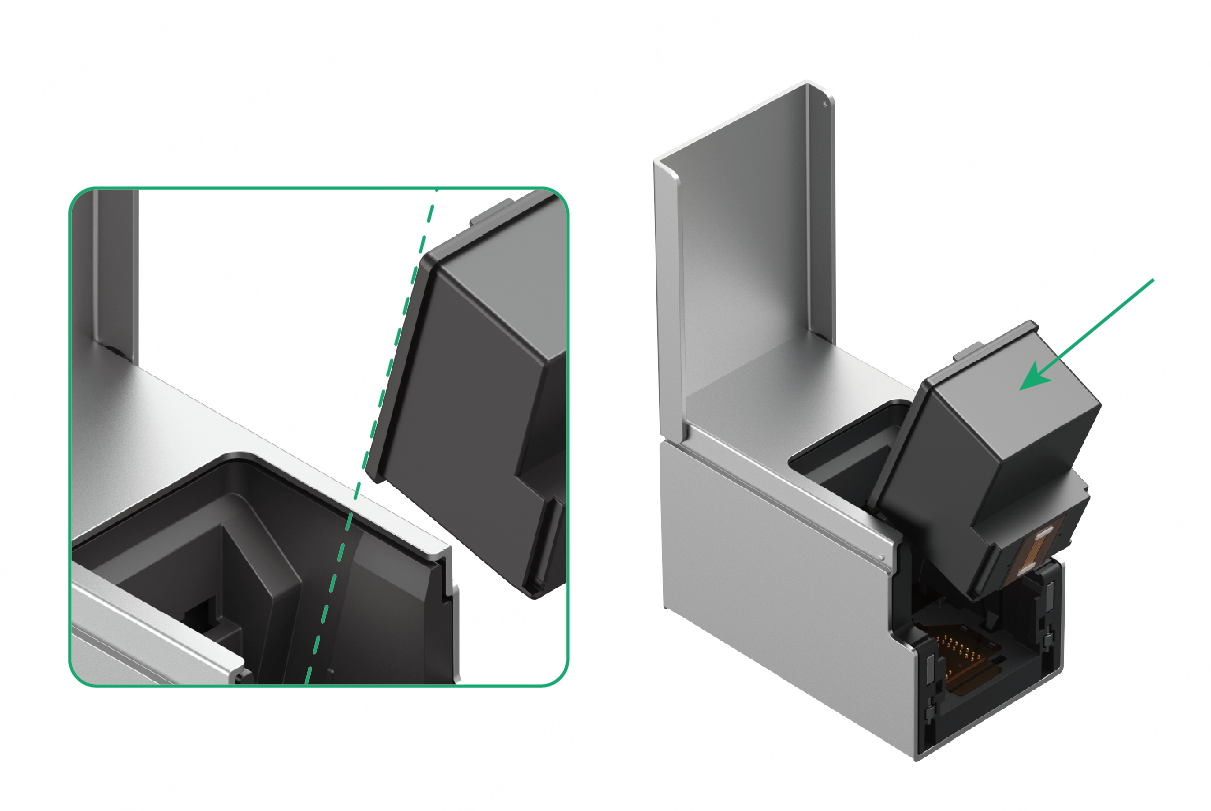
(1) Align the ink cartridge with the inner track of xTool M2 CMYK Inkjet Module. Gently push the cartridge in at approximately a 45° angle.
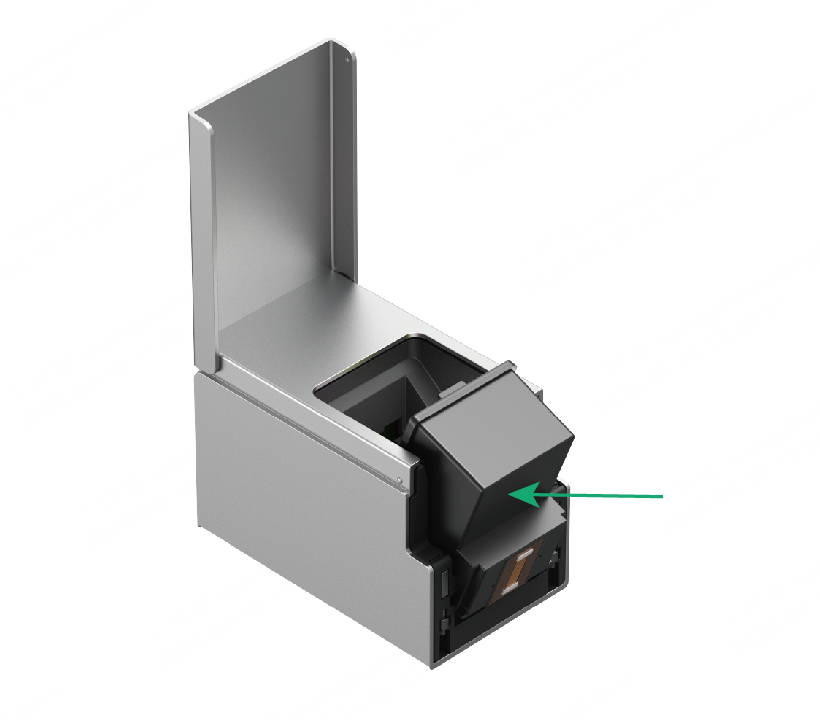
(2) Once the cartridge is fully inserted, press it inward gently. You will hear a "click" sound when the cartridge is properly installed.
⚠️ Warning
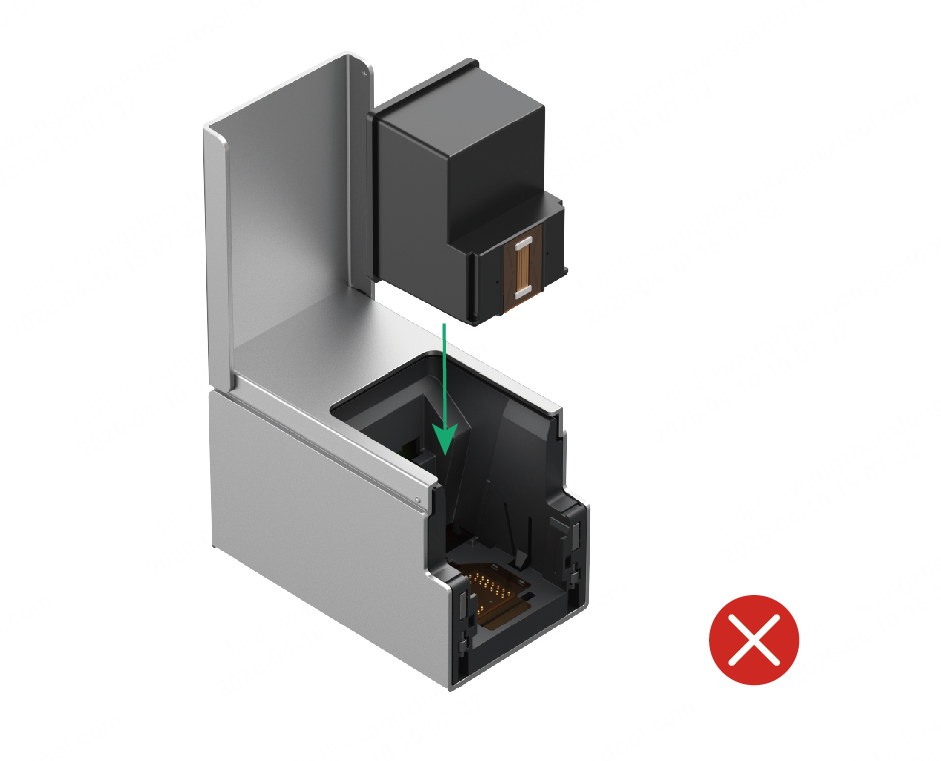
- DO NOT insert the cartridge vertically, as this may cause jamming.
- DO NOT force the installation. If you encounter resistance, adjust the angle and try again.
4 Close the front cover
5 Install the bottom cap
Attach the bottom cap to the bottom of xTool M2 CMYK Inkjet Module, ensuring it is magnetically secured in place.