Issue description
Inner engraving cannot be performed in glass materials.
Possible causes
- The actual dimensions of the glass are inconsistent with the dimensions set in the software.
- The glass material you are using is not compatible with inner engraving.
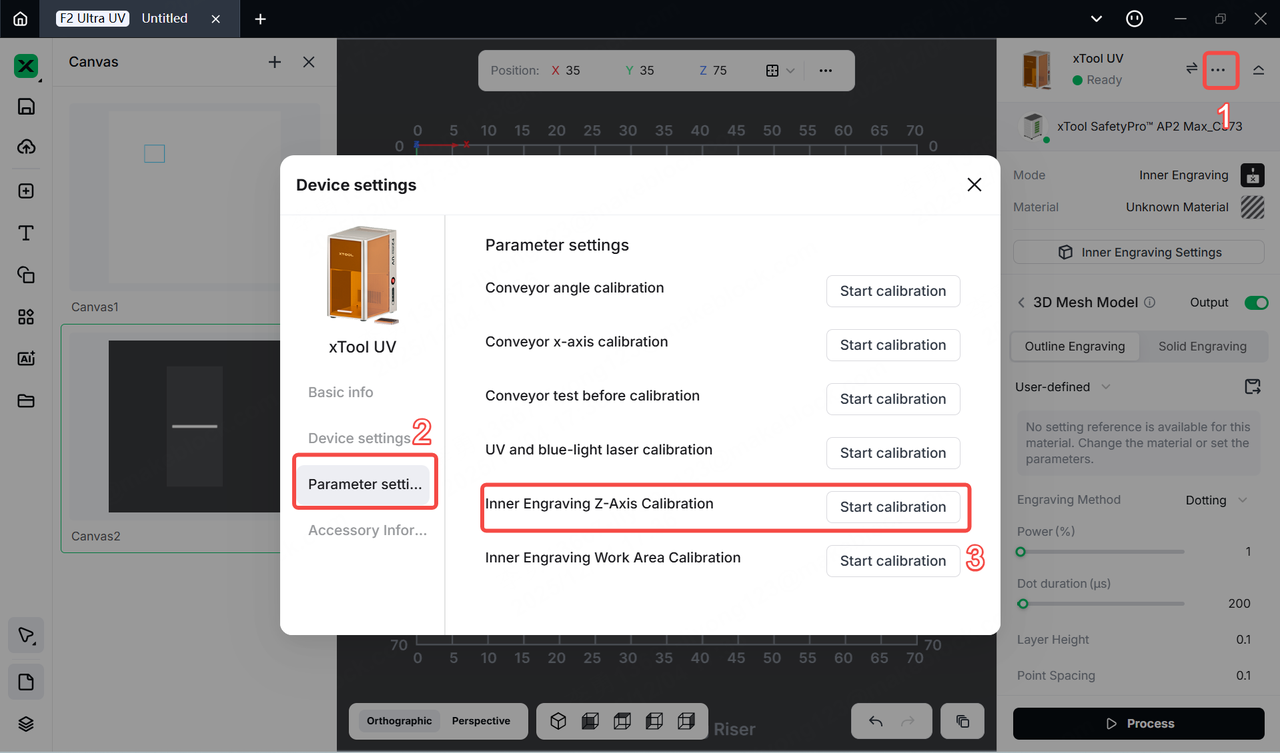
- There is an issue with the Z-axis focal length.
Troubleshooting
Step 1
Check whether the type of the glass you use is suitable for inner engraving. Not all types of glass are suitable for inner engraving; for instance, tempered glass, laminated glass, and deeply tinted glass may not be engravable. It is recommended to use our official materials for inner engraving.
Step 2
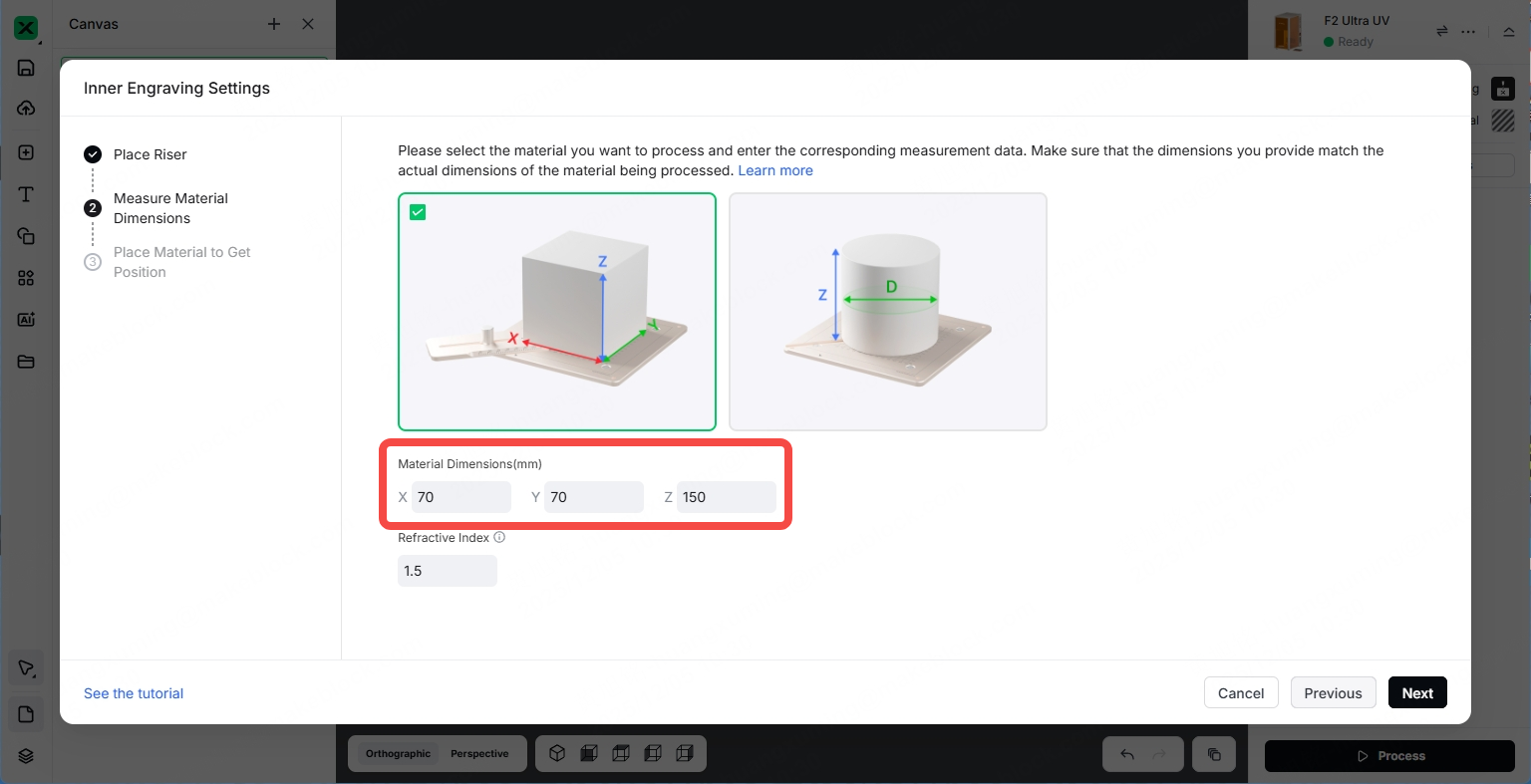
Ensure that the actual dimensions of the glass are consistent with the dimensions set in the software.
Step 3
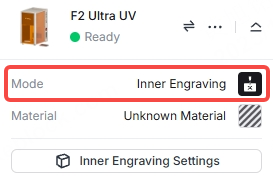
Ensure that the processing mode you select is Inner Engraving.
Step 4
If there are still no marks, you can perform Inner Engraving Z-Axis Calibration to ensure the Z-axis focal length is accurate, and then try engraving again.