

You are advised to test your materials to find out the settings that meet your requirements.
For example, you can test processing parameter settings for vector paths as follows:
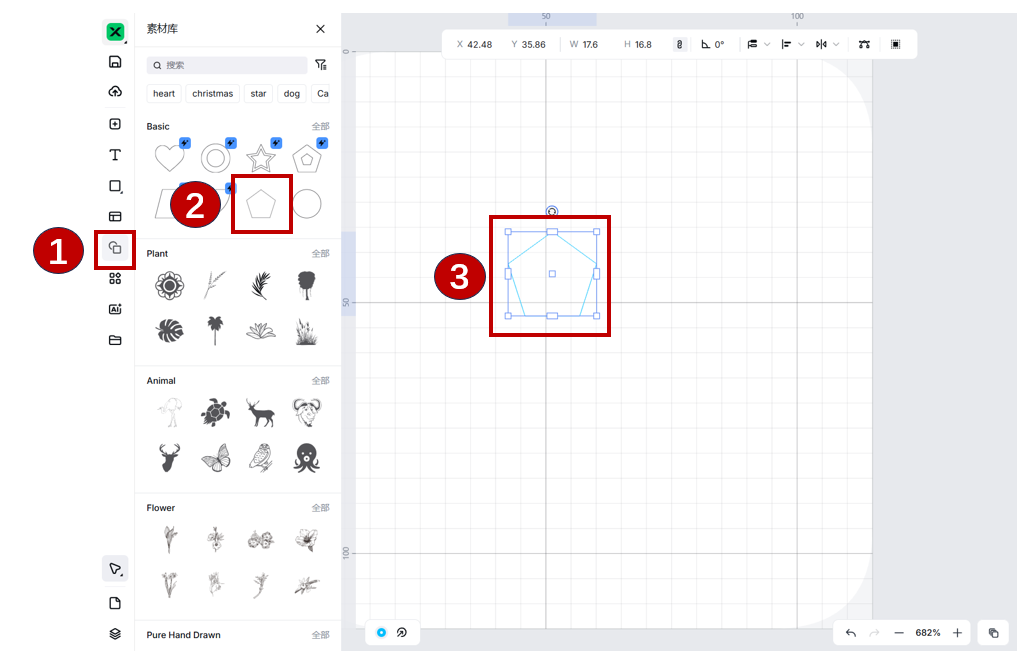
Insert a shape.
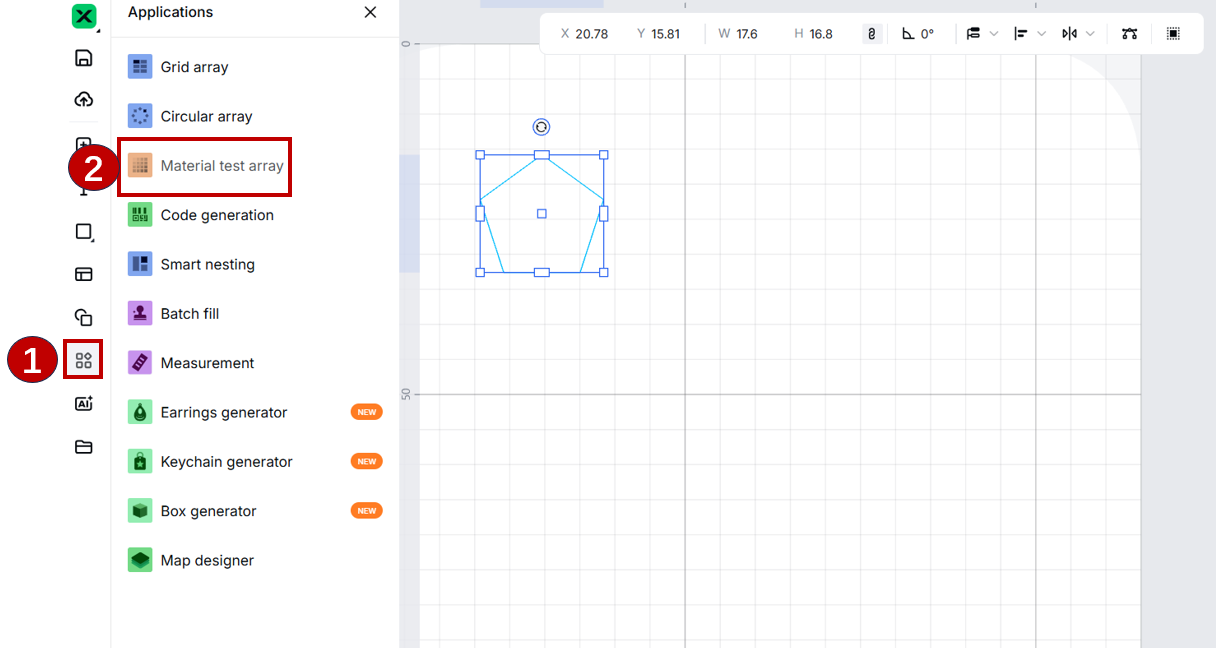
Choose Applications > Material test array.
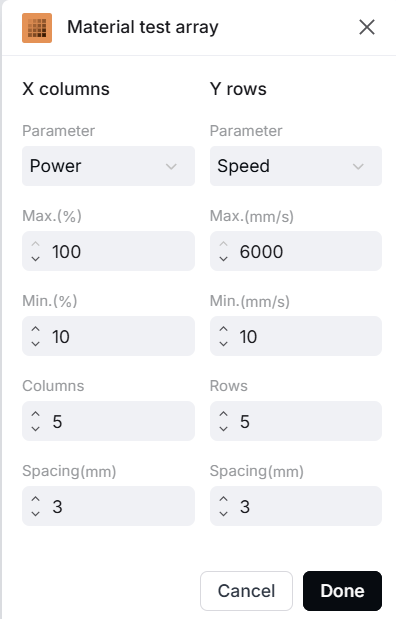
Set the number of rows and columns, maximum and minimum processing speed and power, and spacing.
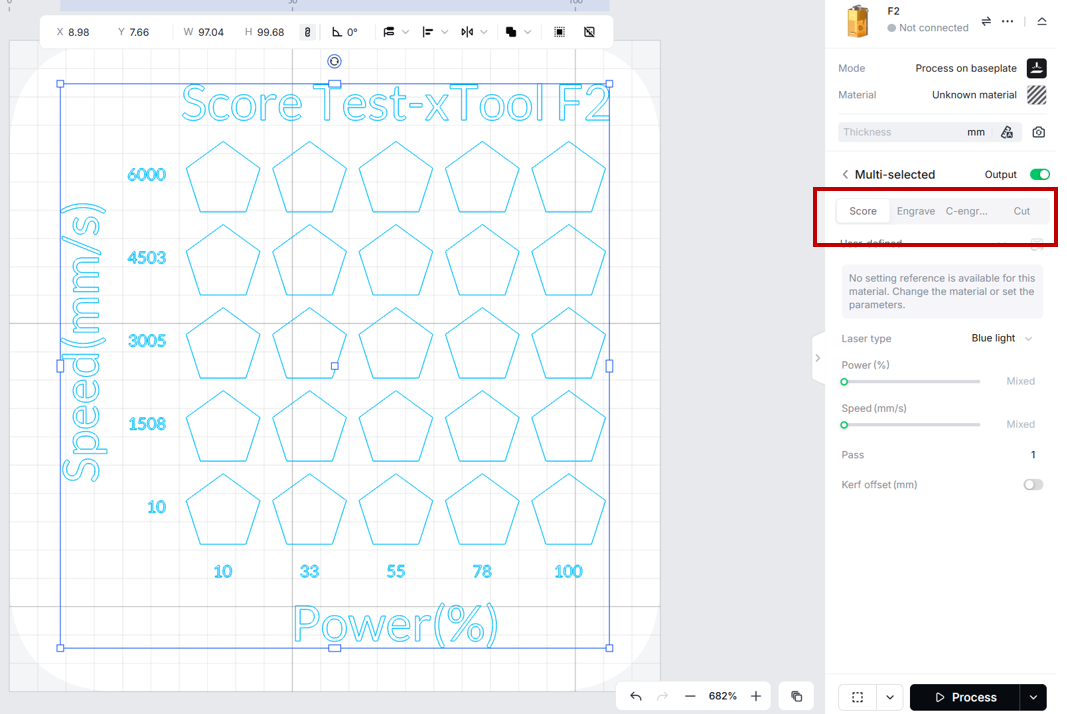
Choose a processing type on the right panel.
Click Go to Process and complete the processing as prompted by xTool Studio.
After the processing is complete, you can find out which setting brings the outcome you want.
For bitmap images, you can test processing parameter settings in the same way.
If you still need help with the processing parameter settings, contact after-sales services at support@xtool.com.







