


xTool OR1 Rotary Attachment for O1 Omni Printer
₹79,800.00 (Inc. GST) ₹12,172.88 GST Input (18%) Claimable with B2B Billing. Enter GST number at checkout.
Available on backorder
Match My Price
Found the same machine cheaper elsewhere? Share the details below and we'll match that price.
Available on backorder
Purchase & earn 798 MechBlock points!Ship Location – Delhi Warehouse
Description
xTool OR1 Rotary Attachment for O1 Omni Printer
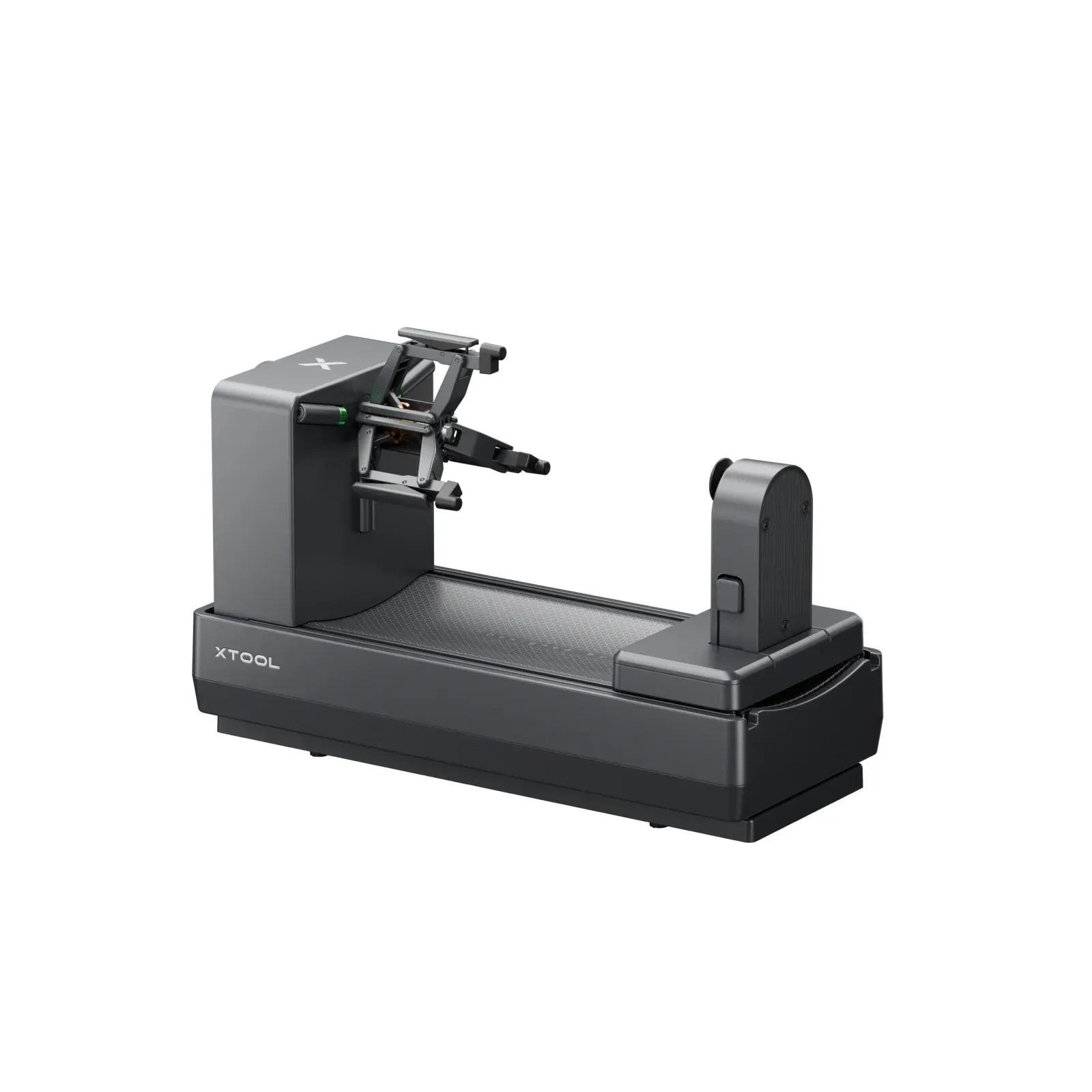
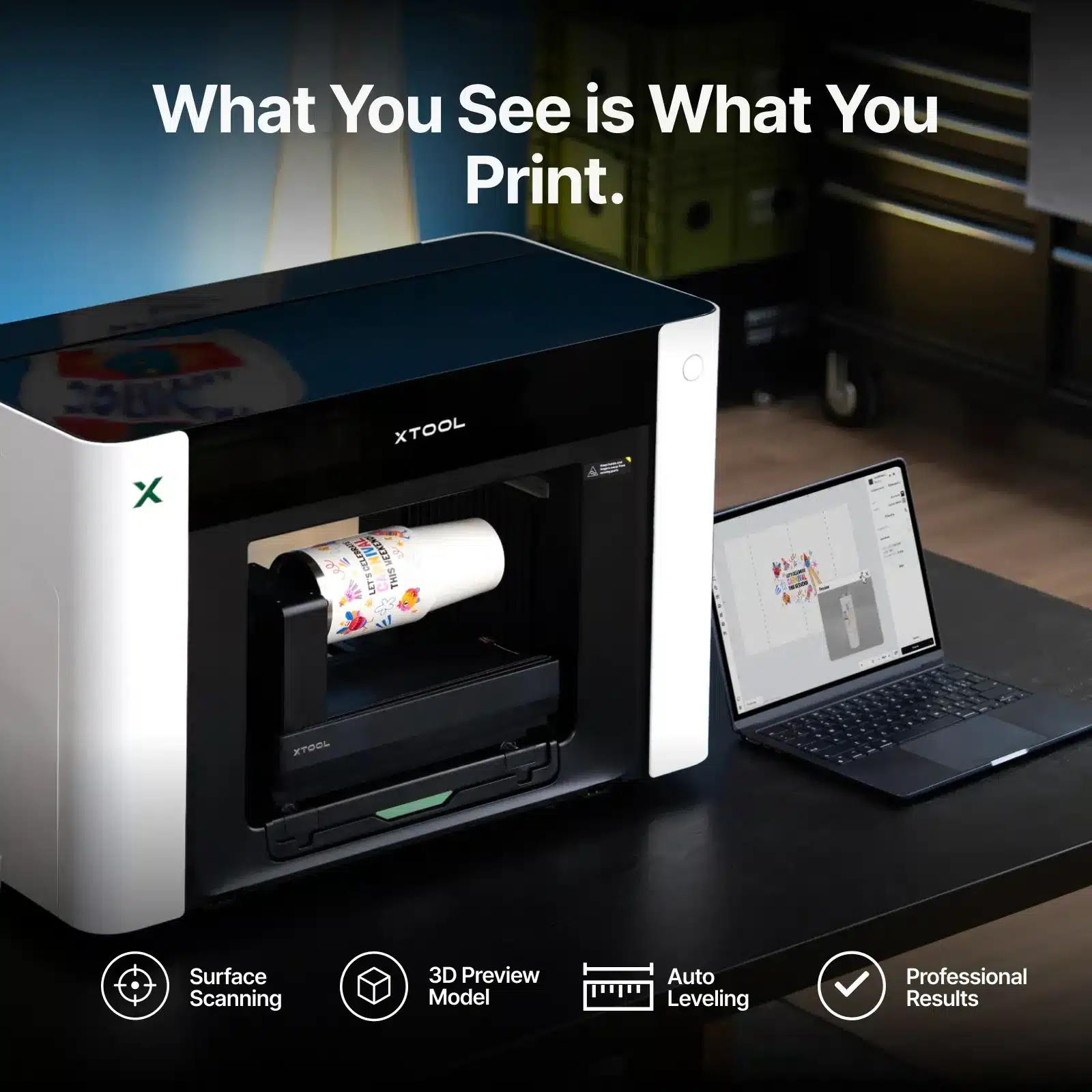
The xTool OR1 Rotary Attachment for O1 Omni Printer expands the O1 Omni’s direct UV printing capabilities from flat objects to a wide range of curved products. Designed exclusively for the xTool O1 Omni Printer, the OR1 supports popular cups, cans, ornaments, small spheres, candle jars, open glassware, and other securely clampable curved workpieces.
With its adjustable jaw chuck, tail module, angle-controlled 360° rotation, and Pixel-Scan™ vision system, the xTool OR1 Rotary Attachment for O1 Omni Printer is designed to make curved printing more precise and easier to set up. It can also extend O1 Omni printing effects to curved objects, including texture, raised relief, and fluorescent effects.
Key Features
Direct UV Printing on Curved Objects
The xTool OR1 Rotary Attachment for O1 Omni Printer allows the O1 Omni to print directly onto compatible curved surfaces. The rotary attachment supports a variety of everyday objects, including mugs, tumblers, straight cylindrical cups, tapered vessels, beverage cans, spherical ornaments, candle jars, and open glassware.
The OR1 is specifically designed for the O1 Omni Printer and is not compatible with other xTool printers.
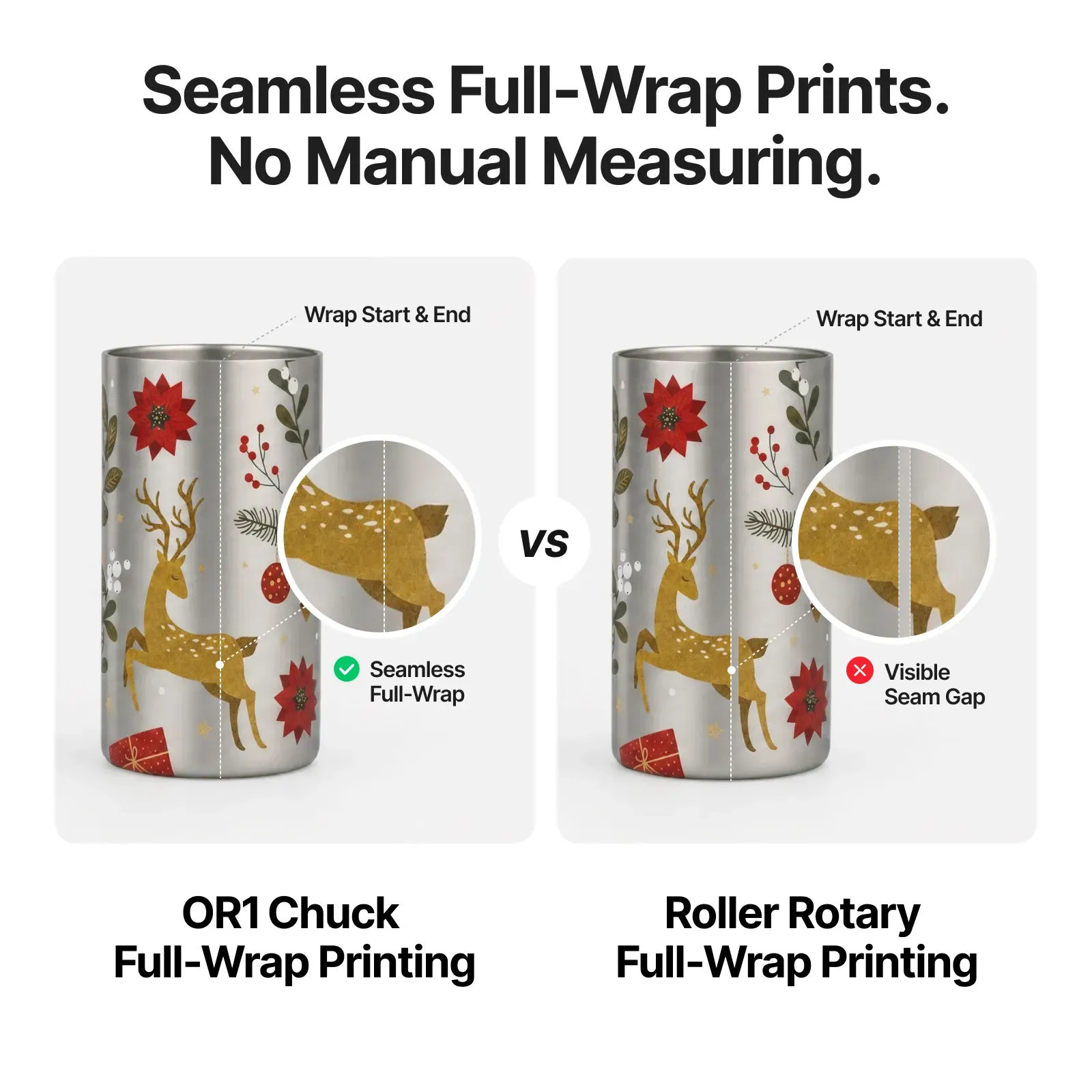
Seamless 360° Full-Wrap Printing
The xTool OR1 Rotary Attachment uses a jaw chuck and angle-controlled 360° rotation to create full-wrap prints around compatible curved objects.
Unlike roller-based rotary systems that may require manual circumference measurements, the OR1 is designed to hold the workpiece securely and rotate it precisely. This helps reduce gaps, overlaps, and seam misalignment during full-wrap printing.
Pixel-Scan™ Vision System
The OR1 features xTool’s Pixel-Scan™ and CIS Imaging technology. The system can capture the object’s shape and surface details, detect handles, and help create a 1:1 preview for accurate design placement.
The software workflow also allows users to preview the workpiece in 3D before printing, helping verify the design position before processing.
Smart Handle Detection
When printing on handled cups, the xTool OR1 Rotary Attachment for O1 Omni Printer can identify handles, measure their height, and mark no-print areas.
This helps reduce the risk of printing into restricted areas and supports safer positioning around cup handles.
Automatic Leveling for Tapered Objects
The OR1 supports automatic leveling across a taper range of -8° to 12°. This allows compatible tapered cups and vessels to be aligned into a stable printing plane.
For cylindrical or tapered cups, xTool specifies that the printable area should stay within a 0.04-inch height difference for best results.
Adjustable Jaw Chuck
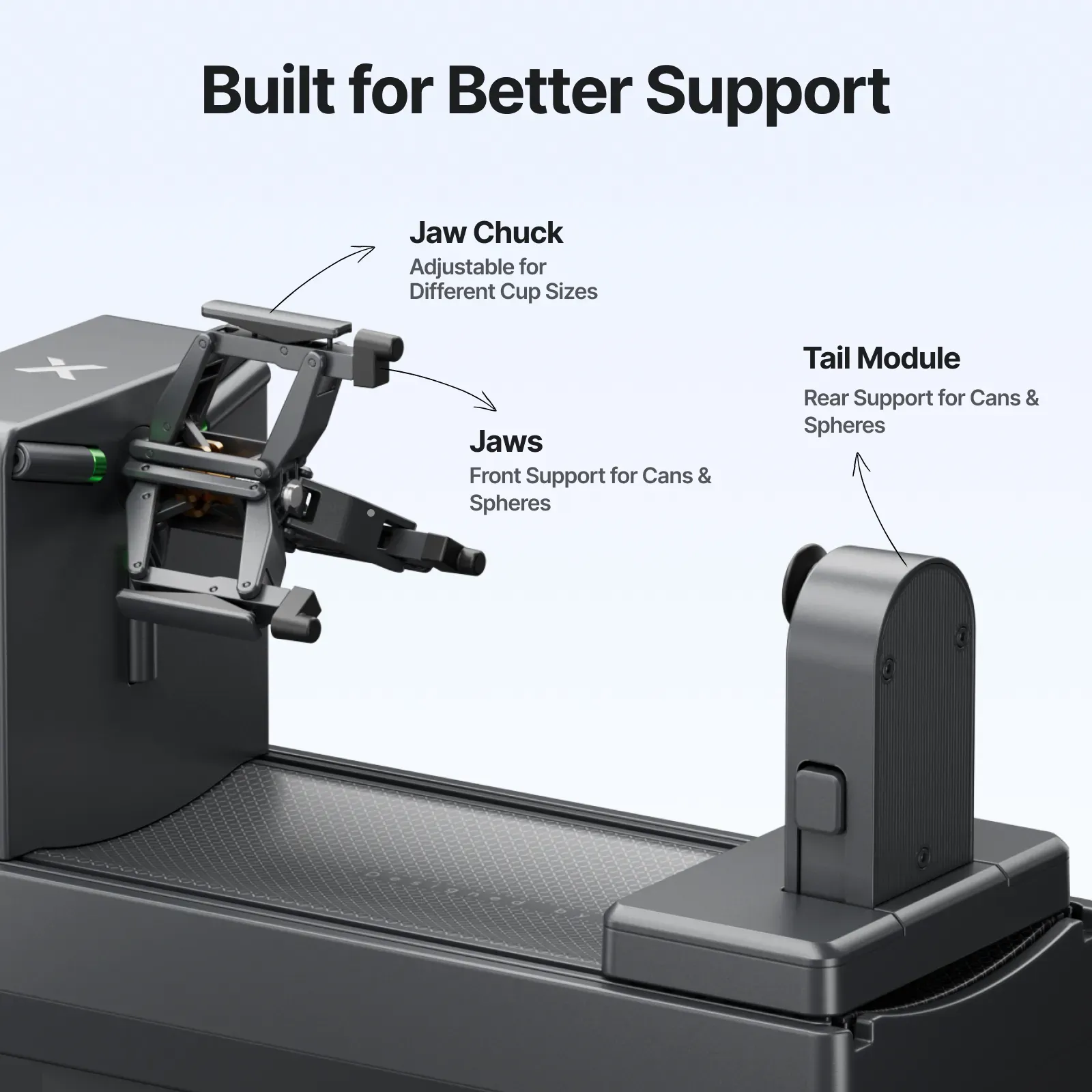
The xTool OR1 Rotary Attachment uses an adjustable jaw chuck designed to securely hold compatible open containers and cups.
The chuck supports cup openings with an inner diameter of 1.83 to 3.94 inches, while supported cup and container dimensions depend on the specific workpiece shape.
The jaws and tail module provide support at both ends for smoother and more consistent rotation.
Supported Workpieces
The xTool OR1 Rotary Attachment for O1 Omni Printer supports a variety of securely clampable and rotatable objects.
Compatible workpiece categories include:
- Mugs
- Tumblers
- Straight cylindrical cups
- Tapered vessels
- Beverage cans
- Spherical ornaments
- Candle jars
- Open glassware
- Select irregular drinkware
- Other compatible open-top containers
The workpiece must be capable of being securely clamped and rotated without wobbling, and the target print area must avoid rims, inner linings, handle joints, and food-contact surfaces.
Supported Workpiece Specifications
| Workpiece | Supported Specification |
|---|---|
| Supported Workpiece Weight | Less than 2.2 lb |
| Mug / Straight Handled Cup | ID: 1.83–3.94 in |
| Mug / Straight Handled Cup | OD: ≤ 4 in |
| Mug / Straight Handled Cup | Body Diameter: ≤ 3.94 in |
| Mug / Straight Handled Cup | Overall Height: ≤ 9.84 in |
| Tapered Open Container | Taper Angle: -8° to 12° |
| Tapered Open Container | Overall Height: ≤ 9.84 in |
| Standard Beverage Can | Overall Height: ≤ 4.72 in |
| Spherical Workpiece | Diameter: ≤ 4 in |
These specifications are from the official xTool product information.
Advanced Printing Effects
The xTool OR1 Rotary Attachment for O1 Omni Printer extends several O1 Omni printing effects to curved surfaces.
Texture Printing
Create multi-layer surface texture up to 0.2 inches for designs that can be seen and felt.
Raised Relief
The OR1 supports raised relief effects up to 0.2 inches, allowing names, logos, artwork, and other details to stand out from the curved surface.
Fluorescent Effects
Fluorescent effects can also be applied to compatible curved workpieces. xTool specifies that fluorescent ink printing is supported when the OR1 is paired with the dual UV version of the O1 Omni Printer.
Fast and Secure Installation
The xTool OR1 Rotary Attachment uses a magnetic connection to attach securely to the O1 Omni Printer’s extension base.
The official support guide explains that the printer’s extension base automatically ejects when the O1 Omni is activated, after which the OR1 main unit can be installed onto the base.
Easy Rotary Printing Workflow
Using the xTool OR1 Rotary Attachment for O1 Omni Printer involves calibration, workpiece installation, modeling, design placement, previewing, and printing through xTool Studio.
The official workflow includes:
- Select Rotary mode in xTool Studio.
- Start rotary attachment calibration.
- Install the OR1 main unit.
- Complete axis calibration.
- Install and secure the workpiece.
- Model the workpiece in the software.
- Import and position the design.
- Preview the 3D print placement.
- Adjust Flat, Texture, or Relief settings as needed.
- Process and print.
The 3D preview and full-wrap layout tools can help users check placement before beginning the final print.
Surface Preparation
Proper surface preparation is important when using the xTool OR1 Rotary Attachment for direct UV printing.
For glass or ceramic objects, xTool recommends cleaning the surface with the included cleaning wipe to remove dust and oil. After the surface dries naturally, a primer wipe can be applied to the print area to improve ink adhesion.
For stainless steel objects, xTool recommends using a dedicated primer wipe to improve ink adhesion.
Important Printing Limitations
The xTool OR1 Rotary Attachment for O1 Omni Printer is designed for securely clampable and rotatable objects. Objects that cannot be held or rotated stably are not recommended.
Examples include rolling pins, solid candles, complex multi-handle cups, or objects where the rim, base, or connection structure interferes with the intended print area.
UV ink should not come into direct contact with lips, drinks, food, or food-contact areas. Printing should be limited to suitable exterior, non-contact surfaces.
Specifications
| Specification | Details |
|---|---|
| Product | xTool OR1 Rotary Attachment for O1 Omni Printer |
| Brand | xTool |
| Compatible Printer | xTool O1 Omni Printer |
| Product Type | Rotary Attachment |
| Printing Technology | Direct UV Printing |
| Rotation | Angle-Controlled 360° Rotation |
| Bare Machine Dimensions | 12.9 × 5.5 × 7.6 in |
| Bare Machine Weight | 5.2 lb |
| Package Dimensions | 15.7 × 10.1 × 8.1 in |
| Packaged Weight | 6.9 lb |
| Operating Temperature | 59°F–86°F |
| Operating Relative Humidity | 30%–80% |
| Printing Direction | Unidirectional Only |
| Printing Modes | Flat, Texture, Relief |
| Varnish Setting | Matte Finish Only |
| Maximum Workpiece Weight | Less than 2.2 lb |
| Maximum Spherical Workpiece Diameter | 4 in |
| Maximum Beverage Can Height | 4.72 in |
| Maximum Mug / Cup Height | 9.84 in |
| Cup Opening ID | 1.83–3.94 in |
| Taper Angle | -8° to 12° |
What’s Included
The official OR1 user guide lists the following items:
- Rotary attachment main unit
- Tail module
- Cleaning wipe
- Primer wipe
- Tweezers
- Quick start guide
- Safety instructions
Compatibility
The xTool OR1 Rotary Attachment for O1 Omni Printer is exclusively designed for the xTool O1 Omni Printer. xTool states that the OR1 is not compatible with other printers.
Before printing, verify that the workpiece can be firmly clamped, rotates smoothly without wobbling, and has a suitable exterior print area.
A Powerful Rotary Printing Upgrade for O1 Omni
The xTool OR1 Rotary Attachment for O1 Omni Printer gives compatible O1 Omni users a practical way to move beyond flat-surface printing. With 360° rotation, an adjustable jaw chuck, Pixel-Scan™ vision, smart handle detection, automatic leveling, and support for curved printing effects, the OR1 is designed for more precise direct UV printing on compatible curved objects.
From full-wrap mugs and tumblers to cans, ornaments, and other supported curved products, the xTool OR1 Rotary Attachment expands the creative possibilities of the O1 Omni Printer.
Available from Mechblock, an authorized xTool vendor, the OR1 is a useful rotary printing accessory for businesses, makers, and creators looking to add curved-product UV printing to their O1 Omni workflow.








Reviews
There are no reviews yet.