xTool P2 vs P2S vs P3: Which CO₂ Laser Engraver Should You Buy in 2026?

Introduction
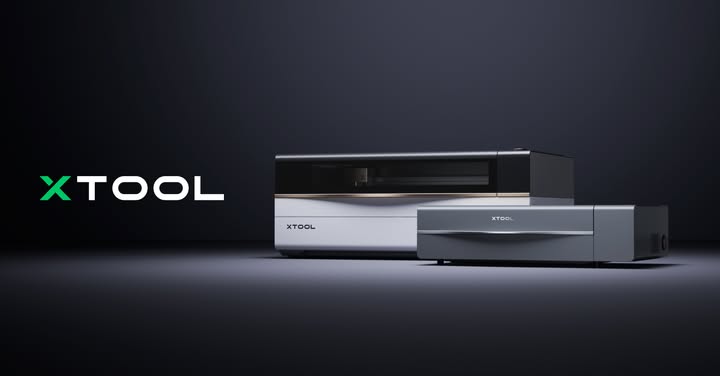
If you're planning to invest in a professional CO₂ laser engraver, you've probably come across three of xTool's most popular machines: the xTool P2, xTool P2S, and the all-new xTool P3.
While all three machines are designed for cutting and engraving wood, acrylic, leather, rubber, glass, and many other materials, they target different types of users. The P2 remains an excellent entry into professional CO₂ laser engraving, the P2S refines that platform with better airflow and smarter automation, while the P3 takes a massive leap toward industrial-grade production with more power, higher speed, larger workspace, and advanced automation.
If you're buying your first CO₂ laser or upgrading your workshop, this guide from MechBlock.in will help you understand which machine offers the best value for your needs.
Quick Overview
xTool P2
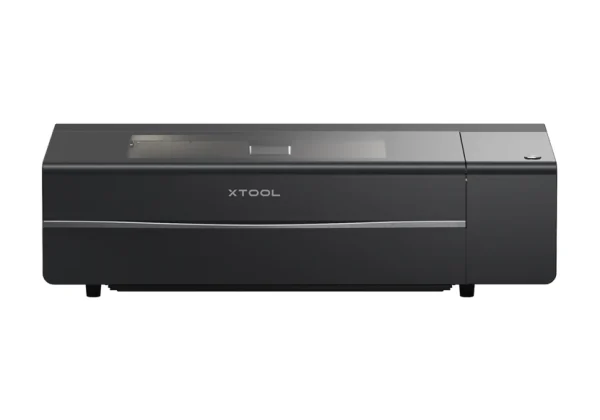
The original P2 introduced a powerful 55W CO₂ laser with an enclosed design, dual cameras, curved surface engraving, and high-speed performance. It quickly became one of the most popular professional desktop laser cutters for makers and small businesses.
Best for:
- Hobbyists
- Small businesses
- Personalized products
- Sign making
- Home workshops
xTool P2S
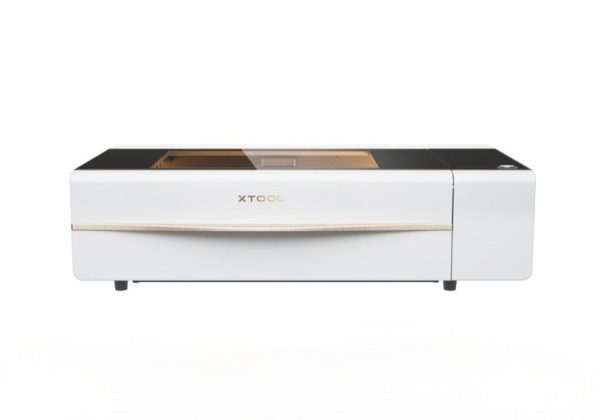
The P2S builds upon the successful P2 platform rather than replacing it. It retains the same 55W CO₂ laser but introduces meaningful upgrades in acceleration, air assist, exhaust performance, and AI-enhanced camera alignment. These improvements make it a better choice for users running frequent production jobs.
Best for:
- Growing businesses
- Etsy sellers
- Batch production
- Professional engraving
- Small manufacturing
xTool P3
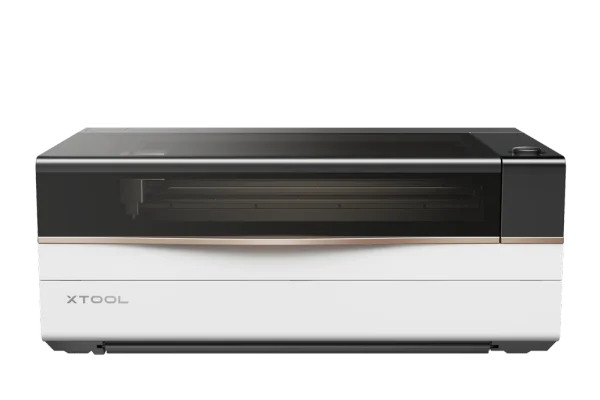
The xTool P3 is a completely new generation of CO₂ laser designed for serious production. It features an 80W laser tube, significantly larger workspace, twice the engraving speed, integrated automation, LiDAR autofocus, Class 1 safety, and intelligent workflow features that reduce manual setup time.
Best for:
- Professional workshops
- Production businesses
- Schools and makerspaces
- High-volume manufacturing
- Commercial sign makers
xTool P2 vs P2S vs P3 Specifications
| Feature | xTool P2 | xTool P2S | xTool P3 |
|---|---|---|---|
| Laser Type | CO₂ | CO₂ | CO₂ |
| Laser Power | 55W | 55W | 80W |
| Maximum Speed | 600 mm/s | 600 mm/s | 1200 mm/s |
| Work Area | 600 × 305 mm | 600 × 305 mm | 915 × 458 mm |
| X-Axis Acceleration | 3,200 mm/s² | 6,400 mm/s² | 19,600 mm/s² |
| Single Pass Basswood | 18 mm | 18 mm | 20 mm |
| Single Pass Acrylic | 20 mm | 20 mm | 25 mm |
| Air Assist | 150 kPa | 200 kPa | 200 kPa |
| Exhaust System | Standard | Upgraded | Industrial |
| Camera System | Dual Camera | AI Enhanced | 16MP SkyView + LiDAR |
| Autofocus | Yes | Improved | LiDAR Automatic |
| Rotary Support | Yes | Yes | Smart Rotary |
| Conveyor Support | Optional | Optional | Integrated |
| Safety Rating | Class 4 | Class 4 | Class 1 |
| Optional IR Module | No | No | Yes |
| Best For | Hobby & Small Business | Business Production | Professional Manufacturing |
*Specifications are based on manufacturer information and current product releases.
Performance Comparison
Laser Power
The biggest difference is power.
- P2: 55W CO₂
- P2S: 55W CO₂
- P3: 80W CO₂
Although the P2 and P2S share the same laser tube, the P3 delivers approximately 45% more laser power, allowing it to cut thicker materials faster while maintaining cleaner edges.
Speed
Production speed matters if you're running a business.
- P2: 600 mm/s
- P2S: 600 mm/s
- P3: 1200 mm/s
The P3 can complete many jobs in nearly half the time of the P2 or P2S, making it ideal for businesses producing large quantities of products.
Workspace
The work area determines the maximum size of projects you can complete.
P2 & P2S
- Excellent for gifts
- Jewelry
- Coasters
- Signs
- Home décor
P3
Offers over 2× the usable working area, making it much better for:
- Furniture panels
- Large signs
- Batch production
- Full acrylic sheets
- Educational projects
Automation
Automation is where the P3 truly separates itself.
P2
- Manual setup
- Camera positioning
- Autofocus
P2S
- AI-enhanced positioning
- Improved airflow
- Better production workflow
P3
- LiDAR Autofocus
- Auto Positioning
- Smart Material Recognition
- Automatic Lift Base
- Smart Nesting
- Automatic Conveyor Integration
These features dramatically reduce setup time, especially when processing multiple jobs every day.
Material Compatibility
All three machines can engrave and cut:
- Wood
- MDF
- Plywood
- Acrylic
- Leather
- Rubber
- Glass
- Cardboard
- Paper
- Fabric
- Slate
- Cork
The P3 goes further by handling thicker materials more efficiently and supporting an optional infrared module for direct metal engraving.
Which Machine Is Best for Different Users?
Choose the xTool P2 if:
- You're buying your first CO₂ laser.
- You have a limited budget.
- You mainly create personalized gifts and crafts.
- Your production volume is low to medium.
The P2 remains an excellent value and is capable of producing professional-quality results.
Choose the xTool P2S if:
- You already own a laser business.
- You need cleaner cuts and better airflow.
- You engrave curved or irregular objects.
- You want faster acceleration without stepping up to a much larger machine.
The P2S is essentially a refined version of the P2, focusing on productivity improvements rather than raw laser power.
Choose the xTool P3 if:
- You run a production workshop.
- You need maximum speed.
- You frequently cut thick acrylic or wood.
- You want industrial automation.
- You need Class 1 safety for schools or shared workspaces.
- You expect your business to scale over the next few years.
The P3 is designed for businesses where time savings, automation, and higher throughput directly translate into increased productivity and revenue.
Advantages and Disadvantages
xTool P2
Pros
- Lower purchase cost
- Excellent engraving quality
- Reliable 55W CO₂ laser
- Great for beginners and small businesses
Cons
- Slower acceleration
- Standard airflow
- Smaller workspace than P3
xTool P2S
Pros
- Better airflow
- Improved camera system
- AI-enhanced alignment
- Faster acceleration
- Cleaner cutting performance
Cons
- Same 55W laser power as P2
- Same maximum engraving speed
- Smaller work area than P3
xTool P3
Pros
- Powerful 80W CO₂ laser
- Double engraving speed
- Huge working area
- LiDAR autofocus
- Smart automation
- Class 1 safety
- Optional IR laser support
- Production-ready workflow
Cons
- Higher investment
- Larger installation footprint
Final Verdict
The xTool P2, P2S, and P3 are all excellent CO₂ laser engraving machines, but each is designed for a different stage of your maker or business journey.
- xTool P2 is the ideal entry point for creators, hobbyists, and small businesses looking for professional results at a lower cost.
- xTool P2S enhances the P2 with smarter automation, improved airflow, and better productivity, making it a great option for growing businesses.
- xTool P3 is a next-generation production laser that offers significantly more power, speed, workspace, and intelligent automation, making it the best choice for professional workshops, educational institutions, and high-volume manufacturing.
If you're looking for genuine xTool laser engraving machines in India, MechBlock.in offers expert guidance, competitive pricing, and nationwide support to help you choose the right machine for your workshop. Whether you're starting a laser engraving business or upgrading your production capabilities, our team can help you find the perfect xTool solution for your needs.